Darkness Blue – Burning Version

Darkness Blue – Burning Version theme by André Mello

Download: DarknessBlueBurningVersion.p3t
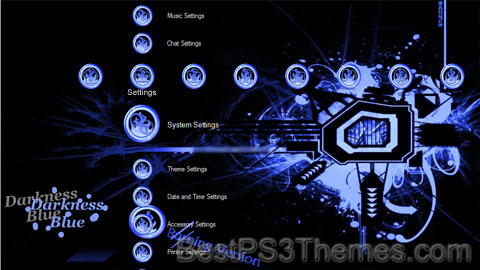
Darkness Blue - Burning Version Theme
(5 backgrounds)

P3T Unpacker v0.12
Copyright (c) 2007. Anoop Menon

This program unpacks Playstation 3 Theme files (.p3t) so that you can touch-up an existing theme to your likings or use a certain wallpaper from it (as many themes have multiple). But remember, if you use content from another theme and release it, be sure to give credit!

Download for Windows: p3textractor.zip

Instructions:

Download p3textractor.zip from above. Extract the files to a folder with a program such as WinZip or WinRAR. Now there are multiple ways to extract the theme.

The first way is to simply open the p3t file with p3textractor.exe. If you don’t know how to do this, right click the p3t file and select Open With. Alternatively, open the p3t file and it will ask you to select a program to open with. Click Browse and find p3textractor.exe from where you previously extracted it to. It will open CMD and extract the theme to extracted.[filename]. After that, all you need to do for any future p3t files is open them and it will extract.

The second way is very simple. Just drag the p3t file to p3textractor.exe. It will open CMD and extract the theme to extracted.[filename].

For the third way, first put the p3t file you want to extract into the same folder as p3textractor.exe. Open CMD and browse to the folder with p3extractor.exe. Enter the following:
p3textractor filename.p3t [destination path]Replace filename with the name of the p3t file, and replace [destination path] with the name of the folder you want the files to be extracted to. A destination path is not required. By default it will extract to extracted.filename.
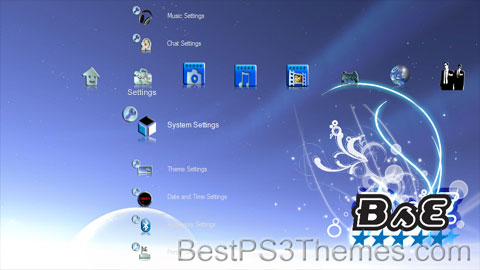
Bitta Somethin’ Extra

Bitta Somethin’ Extra theme by Ross Sneddon

Download: BsE.p3t

Bitta Somethin’ Extra Theme
(2 backgrounds)

P3T Unpacker v0.12
Copyright (c) 2007. Anoop Menon

This program unpacks Playstation 3 Theme files (.p3t) so that you can touch-up an existing theme to your likings or use a certain wallpaper from it (as many themes have multiple). But remember, if you use content from another theme and release it, be sure to give credit!

Download for Windows: p3textractor.zip

Instructions:

Download p3textractor.zip from above. Extract the files to a folder with a program such as WinZip or WinRAR. Now there are multiple ways to extract the theme.

The first way is to simply open the p3t file with p3textractor.exe. If you don’t know how to do this, right click the p3t file and select Open With. Alternatively, open the p3t file and it will ask you to select a program to open with. Click Browse and find p3textractor.exe from where you previously extracted it to. It will open CMD and extract the theme to extracted.[filename]. After that, all you need to do for any future p3t files is open them and it will extract.

The second way is very simple. Just drag the p3t file to p3textractor.exe. It will open CMD and extract the theme to extracted.[filename].

For the third way, first put the p3t file you want to extract into the same folder as p3textractor.exe. Open CMD and browse to the folder with p3extractor.exe. Enter the following:
p3textractor filename.p3t [destination path]Replace filename with the name of the p3t file, and replace [destination path] with the name of the folder you want the files to be extracted to. A destination path is not required. By default it will extract to extracted.filename.
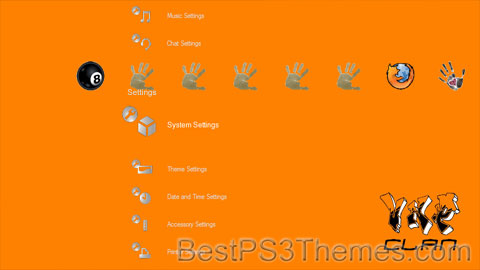
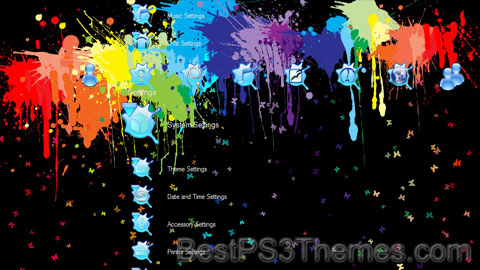
Paint Splatter

Paint Splatter theme by Jewad Alnabi

Download: PaintSplatter.p3t

Paint Splatter Theme
(4 backgrounds)

P3T Unpacker v0.12
Copyright (c) 2007. Anoop Menon

This program unpacks Playstation 3 Theme files (.p3t) so that you can touch-up an existing theme to your likings or use a certain wallpaper from it (as many themes have multiple). But remember, if you use content from another theme and release it, be sure to give credit!

Download for Windows: p3textractor.zip

Instructions:

Download p3textractor.zip from above. Extract the files to a folder with a program such as WinZip or WinRAR. Now there are multiple ways to extract the theme.

The first way is to simply open the p3t file with p3textractor.exe. If you don’t know how to do this, right click the p3t file and select Open With. Alternatively, open the p3t file and it will ask you to select a program to open with. Click Browse and find p3textractor.exe from where you previously extracted it to. It will open CMD and extract the theme to extracted.[filename]. After that, all you need to do for any future p3t files is open them and it will extract.

The second way is very simple. Just drag the p3t file to p3textractor.exe. It will open CMD and extract the theme to extracted.[filename].

For the third way, first put the p3t file you want to extract into the same folder as p3textractor.exe. Open CMD and browse to the folder with p3extractor.exe. Enter the following:
p3textractor filename.p3t [destination path]Replace filename with the name of the p3t file, and replace [destination path] with the name of the folder you want the files to be extracted to. A destination path is not required. By default it will extract to extracted.filename.
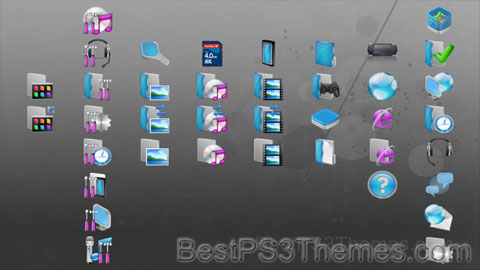
VNP Clan

VNP Clan theme by Sergio Pietanza

Download: VNPClan.p3t

VNP Clan Theme
(1 background)

P3T Unpacker v0.12
Copyright (c) 2007. Anoop Menon

This program unpacks Playstation 3 Theme files (.p3t) so that you can touch-up an existing theme to your likings or use a certain wallpaper from it (as many themes have multiple). But remember, if you use content from another theme and release it, be sure to give credit!

Download for Windows: p3textractor.zip

Instructions:

Download p3textractor.zip from above. Extract the files to a folder with a program such as WinZip or WinRAR. Now there are multiple ways to extract the theme.

The first way is to simply open the p3t file with p3textractor.exe. If you don’t know how to do this, right click the p3t file and select Open With. Alternatively, open the p3t file and it will ask you to select a program to open with. Click Browse and find p3textractor.exe from where you previously extracted it to. It will open CMD and extract the theme to extracted.[filename]. After that, all you need to do for any future p3t files is open them and it will extract.

The second way is very simple. Just drag the p3t file to p3textractor.exe. It will open CMD and extract the theme to extracted.[filename].

For the third way, first put the p3t file you want to extract into the same folder as p3textractor.exe. Open CMD and browse to the folder with p3extractor.exe. Enter the following:
p3textractor filename.p3t [destination path]Replace filename with the name of the p3t file, and replace [destination path] with the name of the folder you want the files to be extracted to. A destination path is not required. By default it will extract to extracted.filename.
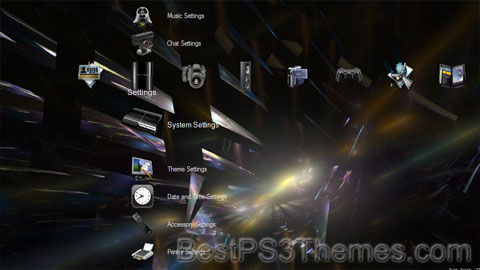
Blue Aqua

Blue Aqua theme by bestps3themes.com

Download: BlueAqua.p3t

Blue Aqua Theme
(1 background)

P3T Unpacker v0.12
Copyright (c) 2007. Anoop Menon

This program unpacks Playstation 3 Theme files (.p3t) so that you can touch-up an existing theme to your likings or use a certain wallpaper from it (as many themes have multiple). But remember, if you use content from another theme and release it, be sure to give credit!

Download for Windows: p3textractor.zip

Instructions:

Download p3textractor.zip from above. Extract the files to a folder with a program such as WinZip or WinRAR. Now there are multiple ways to extract the theme.

The first way is to simply open the p3t file with p3textractor.exe. If you don’t know how to do this, right click the p3t file and select Open With. Alternatively, open the p3t file and it will ask you to select a program to open with. Click Browse and find p3textractor.exe from where you previously extracted it to. It will open CMD and extract the theme to extracted.[filename]. After that, all you need to do for any future p3t files is open them and it will extract.

The second way is very simple. Just drag the p3t file to p3textractor.exe. It will open CMD and extract the theme to extracted.[filename].

For the third way, first put the p3t file you want to extract into the same folder as p3textractor.exe. Open CMD and browse to the folder with p3extractor.exe. Enter the following:
p3textractor filename.p3t [destination path]Replace filename with the name of the p3t file, and replace [destination path] with the name of the folder you want the files to be extracted to. A destination path is not required. By default it will extract to extracted.filename.
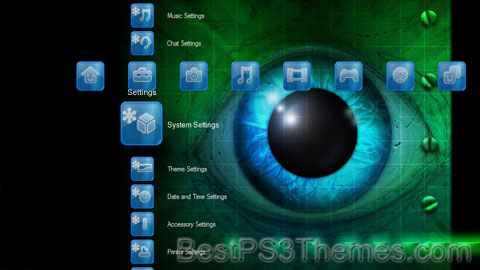
PS3 Magic (Icon Fixed)

PS3 Magic (Icon Fixed) theme by Javier Pineda

Download: PS3MagicIconFixed.p3t

PS3 Magic (Icon Fixed) Theme
(9 backgrounds)

P3T Unpacker v0.12
Copyright (c) 2007. Anoop Menon

This program unpacks Playstation 3 Theme files (.p3t) so that you can touch-up an existing theme to your likings or use a certain wallpaper from it (as many themes have multiple). But remember, if you use content from another theme and release it, be sure to give credit!

Download for Windows: p3textractor.zip

Instructions:

Download p3textractor.zip from above. Extract the files to a folder with a program such as WinZip or WinRAR. Now there are multiple ways to extract the theme.

The first way is to simply open the p3t file with p3textractor.exe. If you don’t know how to do this, right click the p3t file and select Open With. Alternatively, open the p3t file and it will ask you to select a program to open with. Click Browse and find p3textractor.exe from where you previously extracted it to. It will open CMD and extract the theme to extracted.[filename]. After that, all you need to do for any future p3t files is open them and it will extract.

The second way is very simple. Just drag the p3t file to p3textractor.exe. It will open CMD and extract the theme to extracted.[filename].

For the third way, first put the p3t file you want to extract into the same folder as p3textractor.exe. Open CMD and browse to the folder with p3extractor.exe. Enter the following:
p3textractor filename.p3t [destination path]Replace filename with the name of the p3t file, and replace [destination path] with the name of the folder you want the files to be extracted to. A destination path is not required. By default it will extract to extracted.filename.

Pogled

Pogled theme by Paja

Download: Pogled.p3t

Pogled Theme
(1 background)

Pogled may refer to:

In Montenegro:

In Serbia:

In Slovenia:

BlueGlaze

BlueGlaze theme by Draicus

Download: BlueGlaze.p3t

BlueGlaze Theme
(3 backgrounds)

P3T Unpacker v0.12
Copyright (c) 2007. Anoop Menon

This program unpacks Playstation 3 Theme files (.p3t) so that you can touch-up an existing theme to your likings or use a certain wallpaper from it (as many themes have multiple). But remember, if you use content from another theme and release it, be sure to give credit!

Download for Windows: p3textractor.zip

Instructions:

Download p3textractor.zip from above. Extract the files to a folder with a program such as WinZip or WinRAR. Now there are multiple ways to extract the theme.

The first way is to simply open the p3t file with p3textractor.exe. If you don’t know how to do this, right click the p3t file and select Open With. Alternatively, open the p3t file and it will ask you to select a program to open with. Click Browse and find p3textractor.exe from where you previously extracted it to. It will open CMD and extract the theme to extracted.[filename]. After that, all you need to do for any future p3t files is open them and it will extract.

The second way is very simple. Just drag the p3t file to p3textractor.exe. It will open CMD and extract the theme to extracted.[filename].

For the third way, first put the p3t file you want to extract into the same folder as p3textractor.exe. Open CMD and browse to the folder with p3extractor.exe. Enter the following:
p3textractor filename.p3t [destination path]Replace filename with the name of the p3t file, and replace [destination path] with the name of the folder you want the files to be extracted to. A destination path is not required. By default it will extract to extracted.filename.
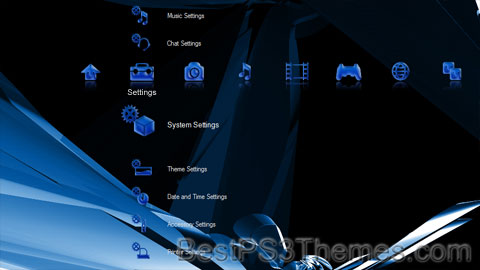
PS3 PC Supernova

PS3 PC Supernova theme by ltmreal

Download: PS3PCSupernova.p3t

PS3 PC Supernova Theme
(5 backgrounds)

P3T Unpacker v0.12
Copyright (c) 2007. Anoop Menon

This program unpacks Playstation 3 Theme files (.p3t) so that you can touch-up an existing theme to your likings or use a certain wallpaper from it (as many themes have multiple). But remember, if you use content from another theme and release it, be sure to give credit!

Download for Windows: p3textractor.zip

Instructions:

Download p3textractor.zip from above. Extract the files to a folder with a program such as WinZip or WinRAR. Now there are multiple ways to extract the theme.

The first way is to simply open the p3t file with p3textractor.exe. If you don’t know how to do this, right click the p3t file and select Open With. Alternatively, open the p3t file and it will ask you to select a program to open with. Click Browse and find p3textractor.exe from where you previously extracted it to. It will open CMD and extract the theme to extracted.[filename]. After that, all you need to do for any future p3t files is open them and it will extract.

The second way is very simple. Just drag the p3t file to p3textractor.exe. It will open CMD and extract the theme to extracted.[filename].

For the third way, first put the p3t file you want to extract into the same folder as p3textractor.exe. Open CMD and browse to the folder with p3extractor.exe. Enter the following:
p3textractor filename.p3t [destination path]Replace filename with the name of the p3t file, and replace [destination path] with the name of the folder you want the files to be extracted to. A destination path is not required. By default it will extract to extracted.filename.
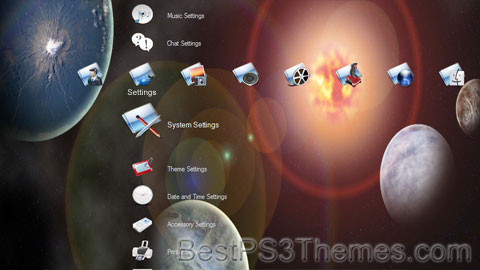
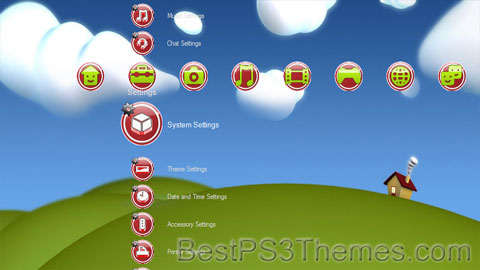
Bliss

Bliss theme by Paja

Download: Bliss.p3t

Bliss Theme
(1 background)

Bliss is a common noun meaning 'extreme happiness'. It may also refer to:

People[edit]

Culture[edit]

Literature[edit]

Fictional entities[edit]

  • Bliss (Marvel Comics), member of the Marvel Comics mutant group The Morlocks
  • Bliss (Starman), incubus who appeared in the DC Comics series Starman
  • Bliss (The Powerpuff Girls), a character from the 2016 series The Powerpuff Girls
  • Dee Bliss, fictional character on the Australian soap Neighbours
  • Bliss Colby, fictional character of the American prime time soap opera The Colbys
  • The Bliss, a telepathic ability in the 2009 series V
  • Blissenobiarella, also known as Bliss, a character in Asimov's Foundation series
  • Bliss, a fictional hallucinogenic drug in the 2018 video game Far Cry 5

Film[edit]

Television[edit]

Music[edit]

Composers[edit]

Bands[edit]

Albums[edit]

EPs[edit]

  • Bliss, a 2019 EP by Australian musician Kian

Songs[edit]

Other uses in culture[edit]

Brands and companies[edit]

Technology[edit]

  • BLISS, system programming language developed at Carnegie Mellon University
  • Bliss (image), computer wallpaper included with Microsoft Windows XP
  • Bliss (virus), computer virus that infects Linux systems
  • BLISS (cryptography), a post-quantum digital signature scheme

Places[edit]

United States[edit]

Elsewhere[edit]

Transportation[edit]

Other uses[edit]

See also[edit]