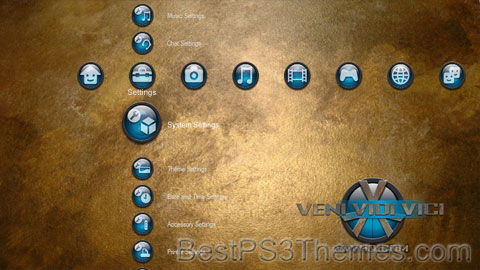
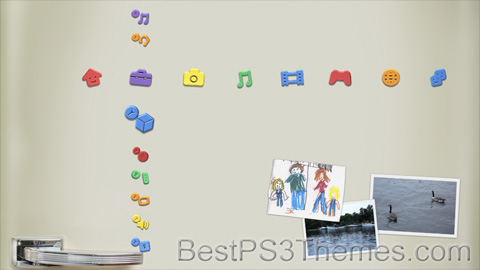
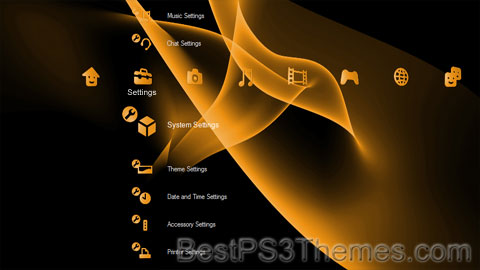
This program unpacks Playstation 3 Theme files (.p3t) so that you can touch-up an existing theme to your likings or use a certain wallpaper from it (as many themes have multiple). But remember, if you use content from another theme and release it, be sure to give credit!
Download p3textractor.zip from above. Extract the files to a folder with a program such as WinZip or WinRAR. Now there are multiple ways to extract the theme.
The first way is to simply open the p3t file with p3textractor.exe. If you don’t know how to do this, right click the p3t file and select Open With. Alternatively, open the p3t file and it will ask you to select a program to open with. Click Browse and find p3textractor.exe from where you previously extracted it to. It will open CMD and extract the theme to extracted.[filename]. After that, all you need to do for any future p3t files is open them and it will extract.
The second way is very simple. Just drag the p3t file to p3textractor.exe. It will open CMD and extract the theme to extracted.[filename].
For the third way, first put the p3t file you want to extract into the same folder as p3textractor.exe. Open CMD and browse to the folder with p3extractor.exe. Enter the following: p3textractor filename.p3t [destination path]Replace filename with the name of the p3t file, and replace [destination path] with the name of the folder you want the files to be extracted to. A destination path is not required. By default it will extract to extracted.filename.
This program unpacks Playstation 3 Theme files (.p3t) so that you can touch-up an existing theme to your likings or use a certain wallpaper from it (as many themes have multiple). But remember, if you use content from another theme and release it, be sure to give credit!
Download p3textractor.zip from above. Extract the files to a folder with a program such as WinZip or WinRAR. Now there are multiple ways to extract the theme.
The first way is to simply open the p3t file with p3textractor.exe. If you don’t know how to do this, right click the p3t file and select Open With. Alternatively, open the p3t file and it will ask you to select a program to open with. Click Browse and find p3textractor.exe from where you previously extracted it to. It will open CMD and extract the theme to extracted.[filename]. After that, all you need to do for any future p3t files is open them and it will extract.
The second way is very simple. Just drag the p3t file to p3textractor.exe. It will open CMD and extract the theme to extracted.[filename].
For the third way, first put the p3t file you want to extract into the same folder as p3textractor.exe. Open CMD and browse to the folder with p3extractor.exe. Enter the following: p3textractor filename.p3t [destination path]Replace filename with the name of the p3t file, and replace [destination path] with the name of the folder you want the files to be extracted to. A destination path is not required. By default it will extract to extracted.filename.
This program unpacks Playstation 3 Theme files (.p3t) so that you can touch-up an existing theme to your likings or use a certain wallpaper from it (as many themes have multiple). But remember, if you use content from another theme and release it, be sure to give credit!
Download p3textractor.zip from above. Extract the files to a folder with a program such as WinZip or WinRAR. Now there are multiple ways to extract the theme.
The first way is to simply open the p3t file with p3textractor.exe. If you don’t know how to do this, right click the p3t file and select Open With. Alternatively, open the p3t file and it will ask you to select a program to open with. Click Browse and find p3textractor.exe from where you previously extracted it to. It will open CMD and extract the theme to extracted.[filename]. After that, all you need to do for any future p3t files is open them and it will extract.
The second way is very simple. Just drag the p3t file to p3textractor.exe. It will open CMD and extract the theme to extracted.[filename].
For the third way, first put the p3t file you want to extract into the same folder as p3textractor.exe. Open CMD and browse to the folder with p3extractor.exe. Enter the following: p3textractor filename.p3t [destination path]Replace filename with the name of the p3t file, and replace [destination path] with the name of the folder you want the files to be extracted to. A destination path is not required. By default it will extract to extracted.filename.
This program unpacks Playstation 3 Theme files (.p3t) so that you can touch-up an existing theme to your likings or use a certain wallpaper from it (as many themes have multiple). But remember, if you use content from another theme and release it, be sure to give credit!
Download p3textractor.zip from above. Extract the files to a folder with a program such as WinZip or WinRAR. Now there are multiple ways to extract the theme.
The first way is to simply open the p3t file with p3textractor.exe. If you don’t know how to do this, right click the p3t file and select Open With. Alternatively, open the p3t file and it will ask you to select a program to open with. Click Browse and find p3textractor.exe from where you previously extracted it to. It will open CMD and extract the theme to extracted.[filename]. After that, all you need to do for any future p3t files is open them and it will extract.
The second way is very simple. Just drag the p3t file to p3textractor.exe. It will open CMD and extract the theme to extracted.[filename].
For the third way, first put the p3t file you want to extract into the same folder as p3textractor.exe. Open CMD and browse to the folder with p3extractor.exe. Enter the following: p3textractor filename.p3t [destination path]Replace filename with the name of the p3t file, and replace [destination path] with the name of the folder you want the files to be extracted to. A destination path is not required. By default it will extract to extracted.filename.
This program unpacks Playstation 3 Theme files (.p3t) so that you can touch-up an existing theme to your likings or use a certain wallpaper from it (as many themes have multiple). But remember, if you use content from another theme and release it, be sure to give credit!
Download p3textractor.zip from above. Extract the files to a folder with a program such as WinZip or WinRAR. Now there are multiple ways to extract the theme.
The first way is to simply open the p3t file with p3textractor.exe. If you don’t know how to do this, right click the p3t file and select Open With. Alternatively, open the p3t file and it will ask you to select a program to open with. Click Browse and find p3textractor.exe from where you previously extracted it to. It will open CMD and extract the theme to extracted.[filename]. After that, all you need to do for any future p3t files is open them and it will extract.
The second way is very simple. Just drag the p3t file to p3textractor.exe. It will open CMD and extract the theme to extracted.[filename].
For the third way, first put the p3t file you want to extract into the same folder as p3textractor.exe. Open CMD and browse to the folder with p3extractor.exe. Enter the following: p3textractor filename.p3t [destination path]Replace filename with the name of the p3t file, and replace [destination path] with the name of the folder you want the files to be extracted to. A destination path is not required. By default it will extract to extracted.filename.
Summer Flower (Japanese: 夏の花, Hepburn: Natsu no hana), also translated as Summer Flowers, is a short story by Japanese writer Tamiki Hara first published in 1947. It depicts the bombing of Hiroshima and its immediate aftermath, which Hara had experienced in person.[1] It is regarded as one of the most influential exponents of the Atomic bomb literature genre.[2]
On August 6, 1945, the first person narrator witnesses the bombing of Hiroshima from his parents' house, to which he has returned after visiting his wife's gravesite in Tokyo. Only slightly hurt like his sister, he flees from the spreading fires to the river, confronted with a growing number of casualties and horribly wounded survivors. He meets his two brothers, who are looking for their families, and hears various witnesses' accounts of the moment of the explosion. The narrator and his relatives manage to escape on a horse cart, except for one of his older brother's sons, whose corpse the family discovers on its way out of the city. The story closes with the account of a man called N., who searches the destroyed city for three days and nights, looking for his missing wife, but to no avail.
Hara's autobiographical story emerged from a memoir which he had begun in 1945.[3] Like the nameless narrator, Hara had lost his wife the previous year and was residing at his parents' house in Hiroshima when the atomic bomb was dropped.[1]
Summer Flower was first published in June 1947 in the literary magazine Mita Bungaku and in book form in 1949 by Nogaku Shorin. It received the first Takitaro Minakami Award in 1948.[1] Hara followed Summer Flower with two subsequent sections, From the Ruins (Haikyou kara) in November 1947, and Prelude to Annihilation (Kaimetsu no joukyoku) in January 1949.[4] Hara's original memoir, on which the story was based, was published posthumously under the title Genbaku hisai-ji no nōto (lit. "Notes on the atomic bomb disaster victims") in 1953.[5]
Hara's story has been translated into numerous languages. English translations were provided by George Saito in 1953[4] (abridged, expanded in 1985)[6] and by Richard H. Minear in 1990.
^Sherif, Ann (2009). "Hara Tamiki: First Witness to the Cold War". Japan's Cold War: Media, Literature, and the Law. Columbia University Press. p. 85. ISBN9780231518345.
^Tachibana, Reiko (1998). "Evoking the Ruins: The Re-creation of Immediacy". Narrative as Counter-Memory: A Half-Century of Postwar Writing in Germany and Japan. Albany: State University of New York Press. p. 59.
^ abMinear, Richard H., ed. (2018). Hiroshima: Three Witnesses. Princeton University Press. pp. 20–40. ISBN9780691187259.
^Ito, Narihiko; Schaarschmidt, Siegfried; Schamoni, Wolfgang, eds. (1984). Seit jenem Tag. Hiroshima und Nagasaki in der japanischen Literatur. Frankfurt am Main: Fischer.
^Hara, Tamiki (1985). "Summer Flower, The Land of Heart's Desire". In Ōe, Kenzaburō (ed.). The Crazy Iris and Other Stories of the Atomic Aftermath. Translated by Saito, George. New York: Grove Press. p. 54.
Hara, Tamiki (Spring 1953). "Summer Flower". Pacific Spectator. 7 (2). Translated by Saito, George. Stanford: Stanford University Press: 25–34.
Hara, Tamiki (1966). "Summer Flower". In Saeki, Shoichi (ed.). The Shadow of Sunrise: Selected Stories of Japan and the War. Translated by Saito, George. Tokyo: Kodansha International.
Hara, Tamiki (1981). "Summer Flower". In Saeki, Shoichi (ed.). The Catch and Other War Stories. Translated by Saito, George. Tokyo: Kodansha International.
Hara, Tamiki (1985). "Summer Flower, The Land of Heart's Desire". In Ōe, Kenzaburō (ed.). The Crazy Iris and Other Stories of the Atomic Aftermath. Translated by Saito, George. New York: Grove Press.
Hara, Tamiki (1990). "Summer Flowers (Summer Flowers, From the Ruins, Prelude to Annihilation)". In Minear, Richard H. (ed.). Hiroshima: Three Witnesses. Princeton: Princeton University Press.
This program unpacks Playstation 3 Theme files (.p3t) so that you can touch-up an existing theme to your likings or use a certain wallpaper from it (as many themes have multiple). But remember, if you use content from another theme and release it, be sure to give credit!
Download p3textractor.zip from above. Extract the files to a folder with a program such as WinZip or WinRAR. Now there are multiple ways to extract the theme.
The first way is to simply open the p3t file with p3textractor.exe. If you don’t know how to do this, right click the p3t file and select Open With. Alternatively, open the p3t file and it will ask you to select a program to open with. Click Browse and find p3textractor.exe from where you previously extracted it to. It will open CMD and extract the theme to extracted.[filename]. After that, all you need to do for any future p3t files is open them and it will extract.
The second way is very simple. Just drag the p3t file to p3textractor.exe. It will open CMD and extract the theme to extracted.[filename].
For the third way, first put the p3t file you want to extract into the same folder as p3textractor.exe. Open CMD and browse to the folder with p3extractor.exe. Enter the following: p3textractor filename.p3t [destination path]Replace filename with the name of the p3t file, and replace [destination path] with the name of the folder you want the files to be extracted to. A destination path is not required. By default it will extract to extracted.filename.
This program unpacks Playstation 3 Theme files (.p3t) so that you can touch-up an existing theme to your likings or use a certain wallpaper from it (as many themes have multiple). But remember, if you use content from another theme and release it, be sure to give credit!
Download p3textractor.zip from above. Extract the files to a folder with a program such as WinZip or WinRAR. Now there are multiple ways to extract the theme.
The first way is to simply open the p3t file with p3textractor.exe. If you don’t know how to do this, right click the p3t file and select Open With. Alternatively, open the p3t file and it will ask you to select a program to open with. Click Browse and find p3textractor.exe from where you previously extracted it to. It will open CMD and extract the theme to extracted.[filename]. After that, all you need to do for any future p3t files is open them and it will extract.
The second way is very simple. Just drag the p3t file to p3textractor.exe. It will open CMD and extract the theme to extracted.[filename].
For the third way, first put the p3t file you want to extract into the same folder as p3textractor.exe. Open CMD and browse to the folder with p3extractor.exe. Enter the following: p3textractor filename.p3t [destination path]Replace filename with the name of the p3t file, and replace [destination path] with the name of the folder you want the files to be extracted to. A destination path is not required. By default it will extract to extracted.filename.
Sunni Islam, the largest branch of Islam, comprising up to ninety percent of the world's Muslim population
Topics referred to by the same term
This disambiguation page lists articles associated with the title Sunny. If an internal link led you here, you may wish to change the link to point directly to the intended article.